Stopping calendar notifications in Google Calendar
Your class schedule is automatically synchronized from Veracross to your Google Calendar. By default, your calendar will send you notifications ten minutes before each class. If that gets annoying, you can adjust the timings or remove the notificiations completely. Here's how:
1. Navigate to https://calendar.google.com/
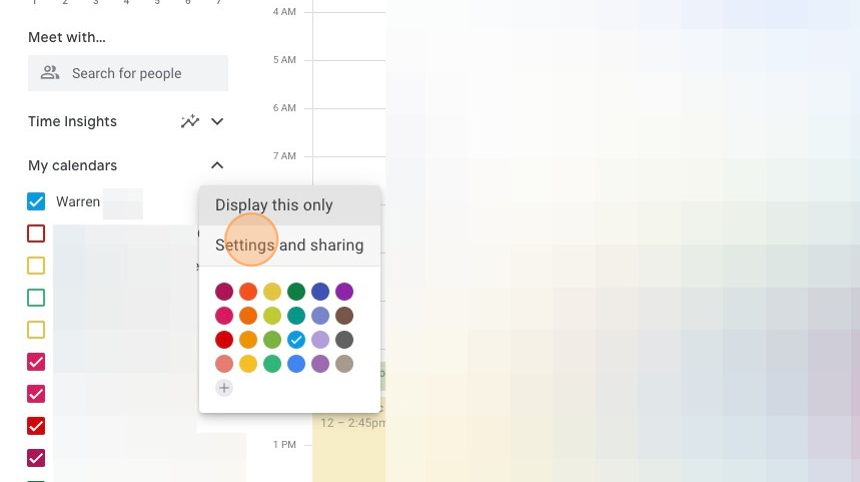
2. Click the three dots next to your name

3. Click "Settings and sharing"
4. Click "Calendar settings" or scroll down to the settings

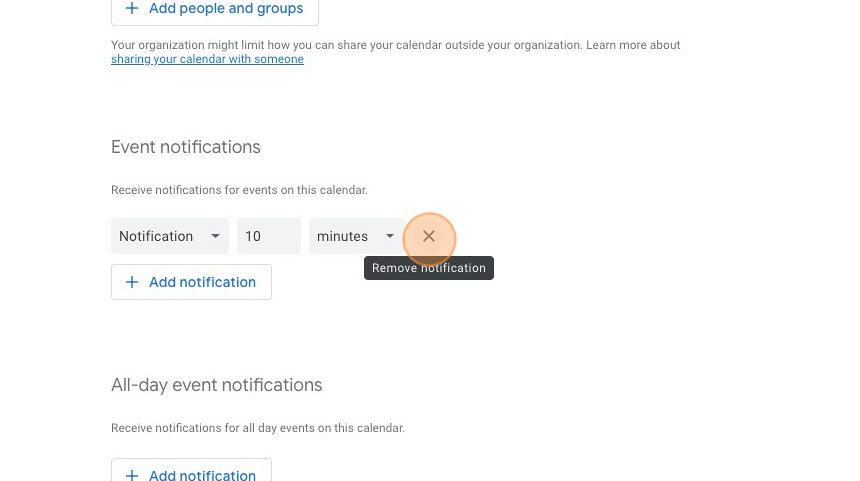
5. Adjust the time of the notification or click the X to delete it completely.